
To clone a repository, go to the repository’s GitHub page and click on <> Code. If you have set up your SSH keys, you can now click on SSH (underlined in orange in the screenshot) and then click on the button with two squares to the right of the text line.
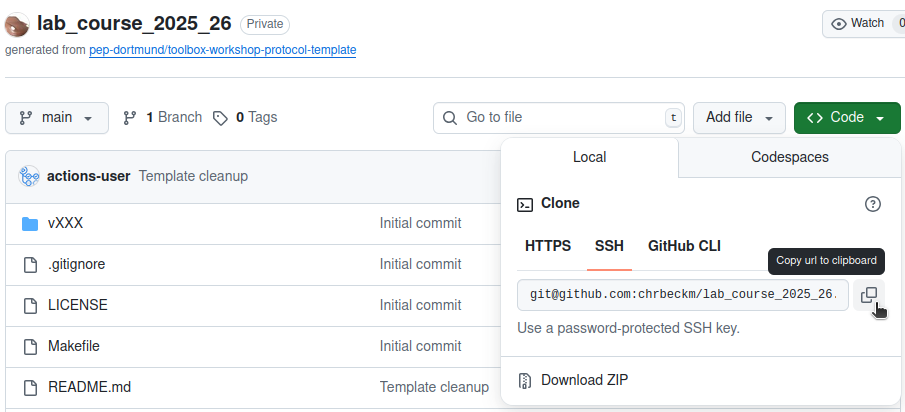
Now, open your terminal and use cd to navigate to the folder
where you want to clone the repository.
Alternatively, navigate to the folder using your file explorer
and use the Open terminal here function
(via right-click or Ctrl-click on macOS).
You can now clone your repository locally using
git clone git@github.com:chrbeckm/lab_course_2025_26.gitImportant: make sure you replace git@github.com:chrbeckm/lab_course_2025_26.git with
the link you copied.