We’ve made a template for the lab reports in this practical course. This means you don’t have to manually copy everything from the slides and notebooks into your report. To make effective use of the template, you need a GitHub account. If you don’t have one yet, you can create one here.
When using Git, it’s easier to work with SSH keys instead of passwords. At the end of the Git slides, you will find instructions on how to set up SSH keys for authentication with GitHub.
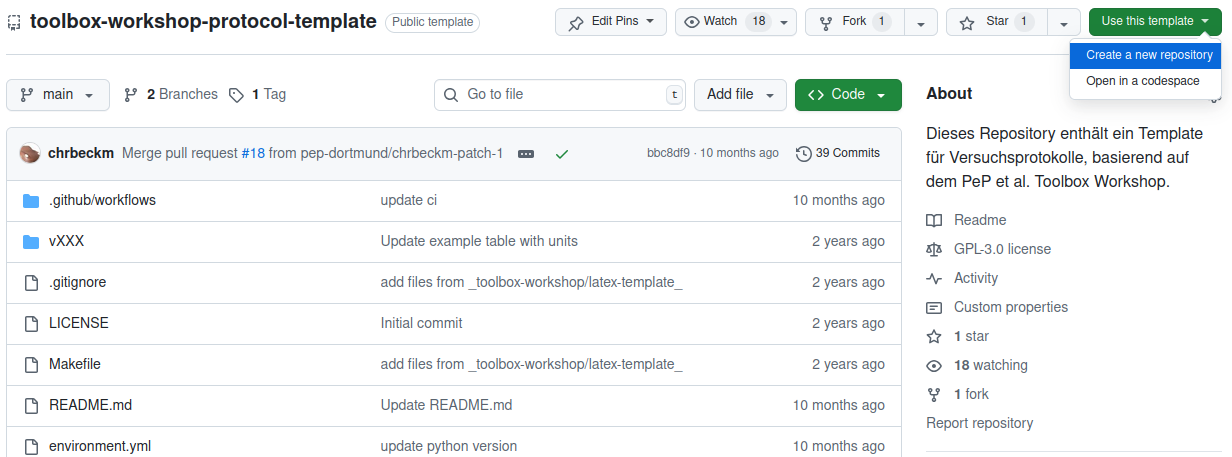
To use the template, follow this link to the repository. Click the green Use this template button on the right side of the screen. In the dialog box that appears, select Create a new repository.
You’ll need to enter a few details on the following page.
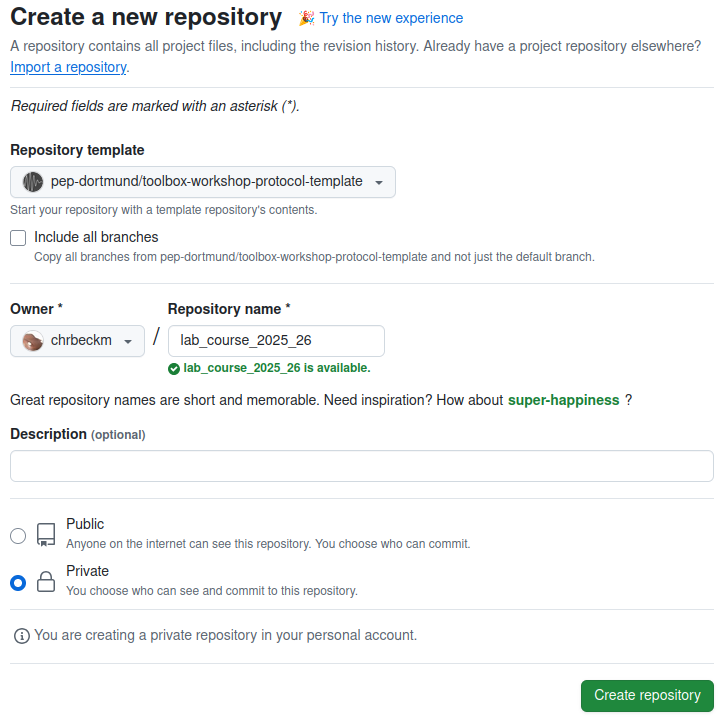
Select pep-dortmund/toolbox-workshop-protocol-template as the Repository template.
The Owner field will display your GitHub username (not chrbeckm, that’s just the person writing this guide).
Enter a name for your repository in the text field below Repository name*. It’s important that the name isn’t already taken; GitHub will indicate this with a green checkmark. For example, you could use the name
lab_course_2025_26, or choose something likebeginnerpractical_20xx_xxand replace thexs with the relevant years. A good name makes it easier to locate the repository later.Public or Private: You can choose whether your repository is public, meaning it can be viewed by anyone on the internet, or private, meaning it can only be viewed by you and invited GitHub users.
Finally, click Create repository.
Wait a moment for your repository to be created. Then, you will be automatically redirected to your repository.
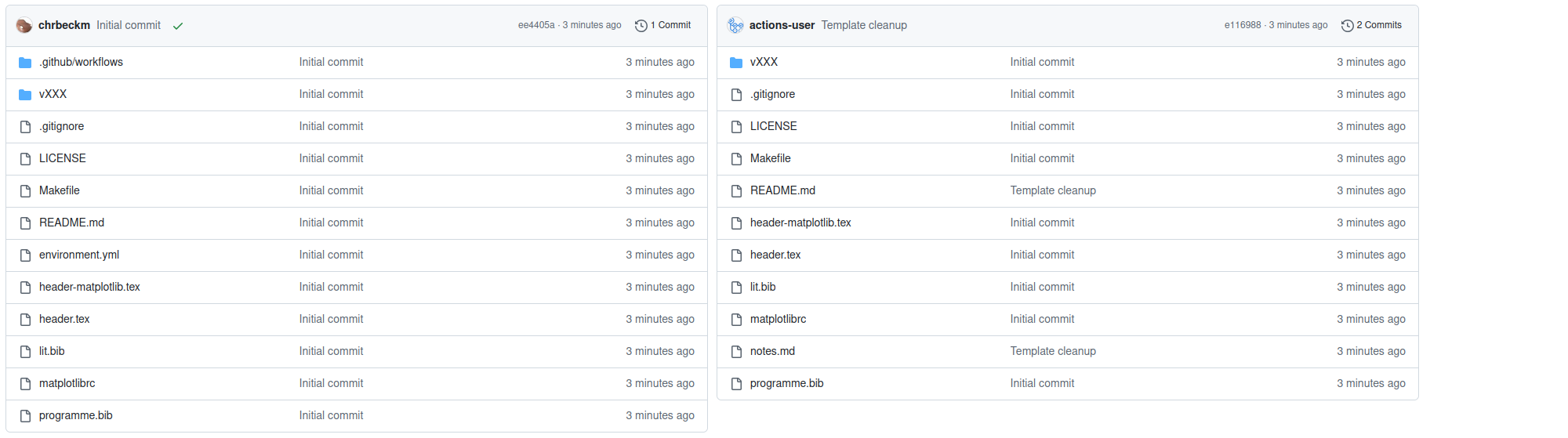
After loading, your repository will look similar to the one on the left.
A background process is currently removing some files from your repository
that you don’t need, but which we require in the template repository.
The files .github/workflows and environment.yml have been removed.
Additionally, the content of README.md has been moved to notes.md,
allowing you to write your own lines in README.md.